OVO ProteinDJ Plugin
    ██████╗ ██████╗  ██████╗ ████████╗███████╗██╗███╗   ██╗██████╗      ██╗
    ██╔══██╗██╔══██╗██╔═══██╗╚══██╔══╝██╔════╝██║████╗  ██║██╔══██╗     ██║
    ██████╔╝██████╔╝██║   ██║   ██║   █████╗  ██║██╔██╗ ██║██║  ██║     ██║
    ██╔═══╝ ██╔══██╗██║   ██║   ██║   ██╔══╝  ██║██║╚██╗██║██║  ██║██   ██║
    ██║     ██║  ██║╚██████╔╝   ██║   ███████╗██║██║ ╚████║██████╔╝╚█████╔╝
    ╚═╝     ╚═╝  ╚═╝ ╚═════╝    ╚═╝   ╚══════╝╚═╝╚═╝  ╚═══╝╚═════╝  ╚════╝
                       ProteinDJ Protein Design Pipeline
              Developers: Dylan Silke, Josh Hardy, Julie Iskander
                   https://github.com/PapenfussLab/proteindj
ProteinDJ is a Nextflow pipeline for protein design, incorporating the RFdiffusion + ProteinMPNN + AlphaFold2 workflow as well as other design methods.
Features
Importing existing ProteinDJ result folders to enable visualizing structure alignments and descriptors
Running the motif scaffolding and binder design workflows from the UI
Installation
First install the plugin into your OVO Python environment:
pip install git+https://github.com/MSDLLCpapers/ovo-proteindj
Then add the following block to your OVO config.yml:
plugins:
  ovo_proteindj:
    default_params:
      rfd_models: "{config.reference_files_dir}/rfdiffusion_models"
      af2_models: "{config.reference_files_dir}/alphafold_models"
      boltz_models: "{config.reference_files_dir}/boltz_models"
      cpus: 4
      cpus_per_gpu: 4
      memory_gpu: 14GB
      memory_cpu: 14GB
      gpu_queue: gpu-small
      gpu_model: a10g
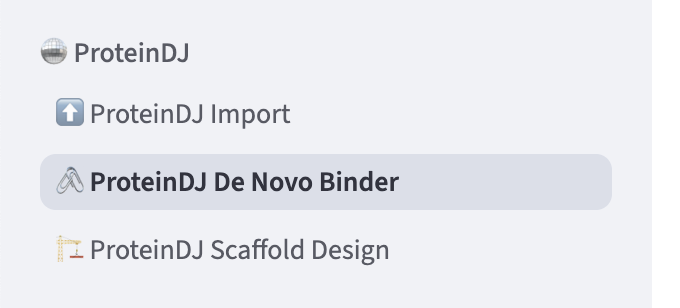
Now you should see a ProteinDJ block when running ovo app: